Sites can be easily duplicated and reorganized according to your preferences.
To duplicate a site:
- In the site bar of the Project management area, click the
 [settings] button.
 - Navigate to the tab File Manager.
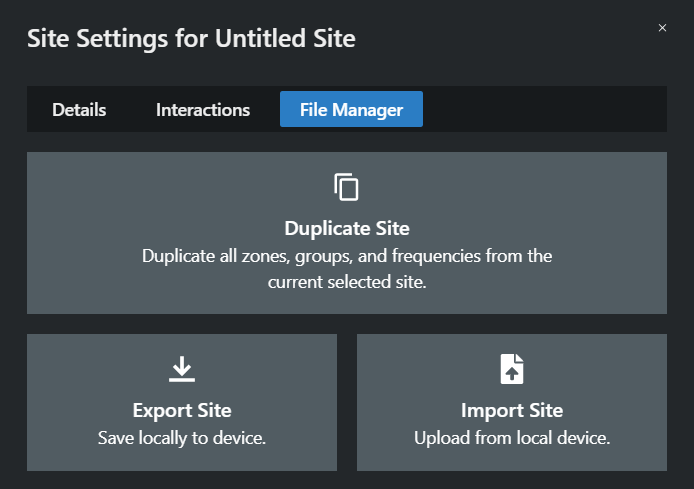
- Click on Duplicate Site.
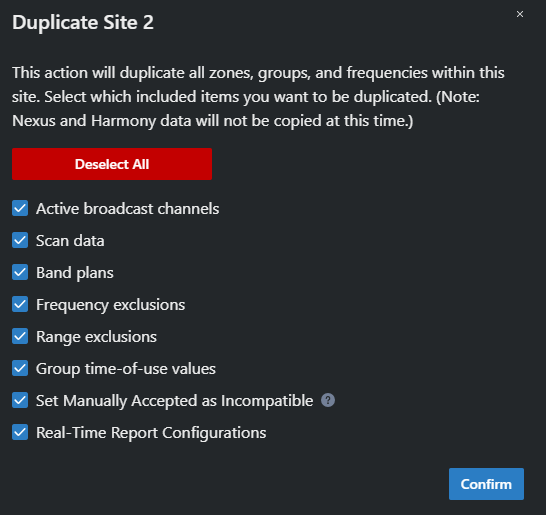
This action will duplicate all zones, groups, and frequencies within this site. Select which included items you want to be duplicated. (Note: Nexus and Harmony data will not be copied at this time.)
- Select which elements you want to transfer to the duplicated site by checking the appropriate boxes.
- Click on Confirm.
The site has been duplicated successfully.