Exported sites can be easily imported.
To import a site:
- In the site bar of the Project management area, click the
 [settings] button.
 - Navigate to the tab File Manager.
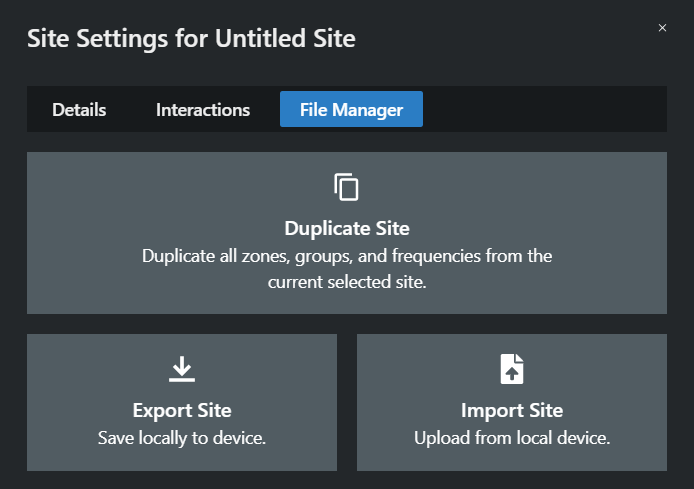
- Click on Import Site.
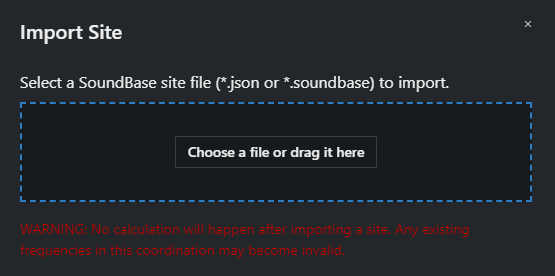
- Select your exported site file or drag it into the indicated field.
The site has been imported successfully.